Client Hub
Hub Features
Analytics, emails, and speed tests: every tab in your Hub, explained.
Beyond editing, your Client Hub pulls everything about your website into one place. Here’s what each tab does.
Analytics
Your Google Analytics traffic without logging into Google Analytics. See how many people visit, which pages they read, and where they come from.
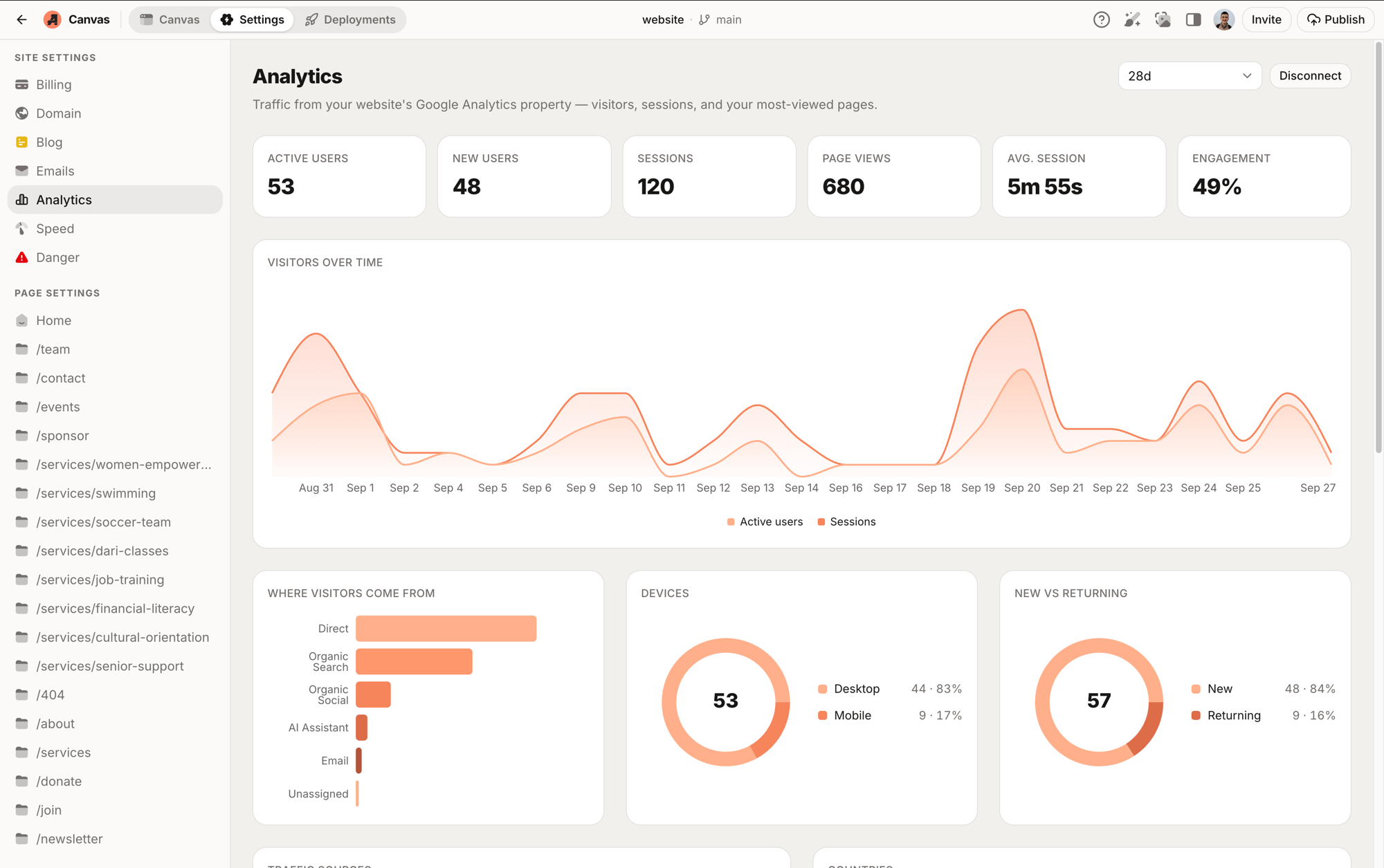
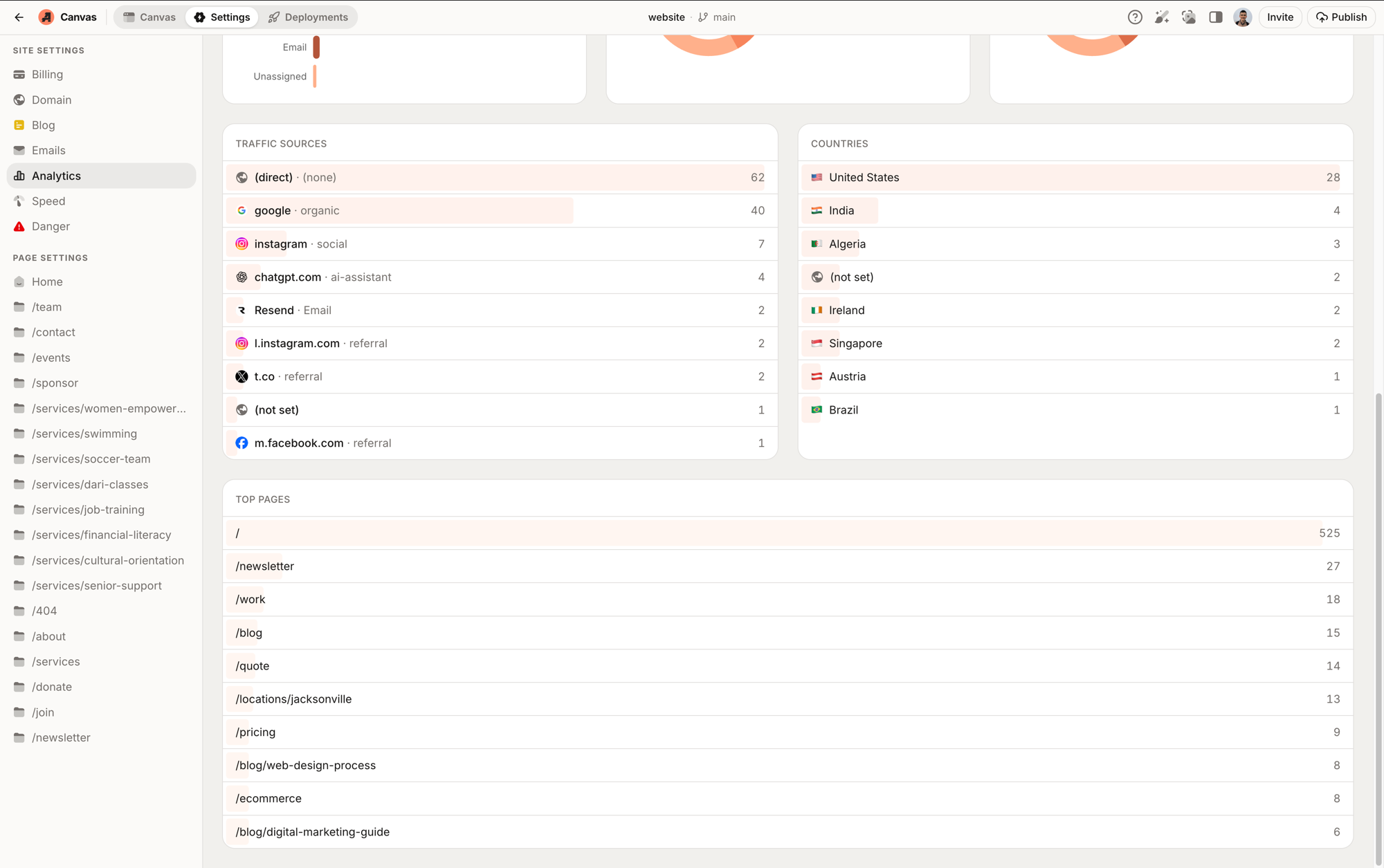
Scroll down for the detail: exactly which sources send you traffic (Google, Instagram, even AI assistants like ChatGPT), which countries your visitors are in, and your most-visited pages.
Emails
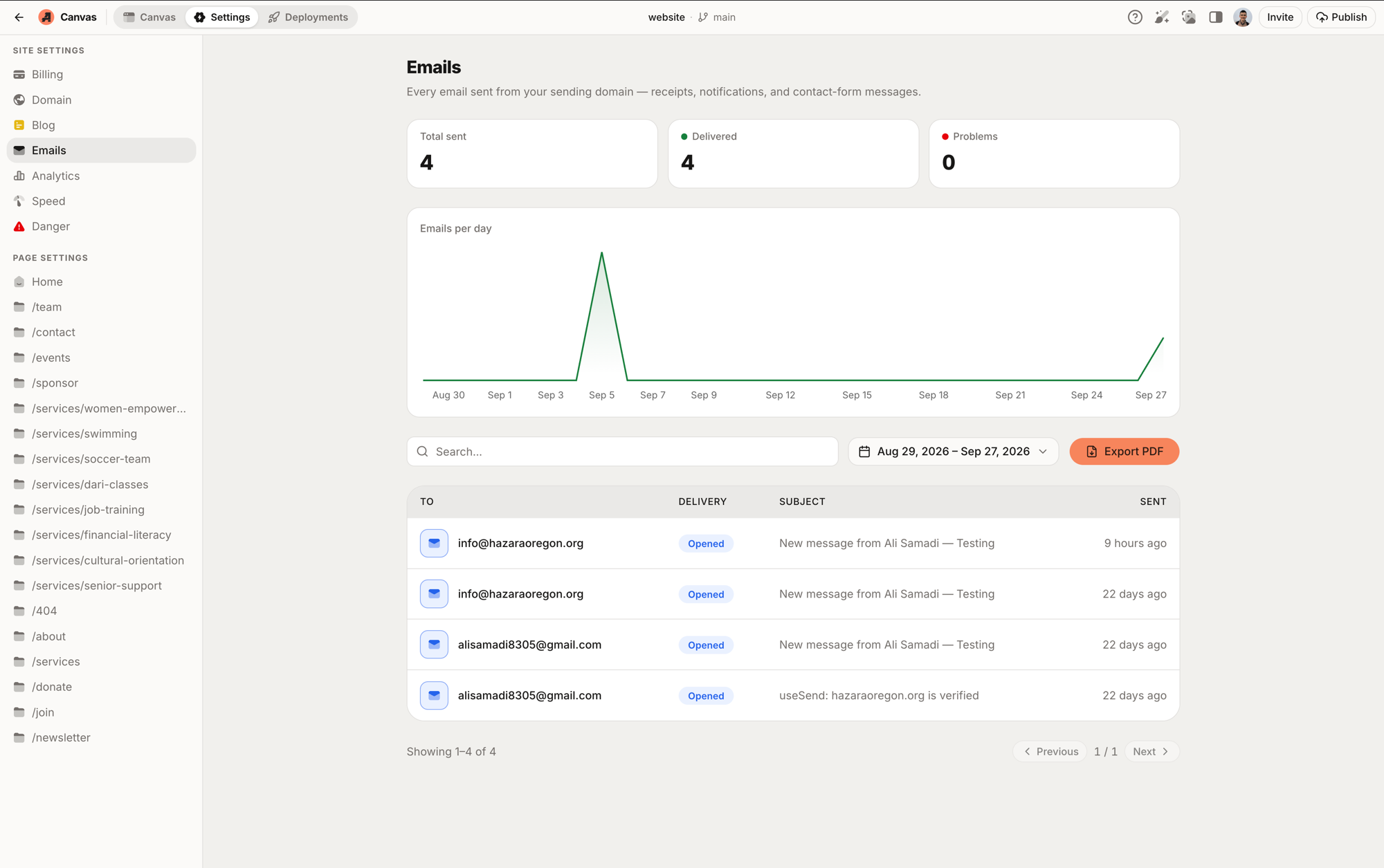
Every email your website sends (contact-form confirmations, newsletters, notifications) listed with its delivery status. If a customer says “I never got a reply,” you can check exactly what was sent and when.
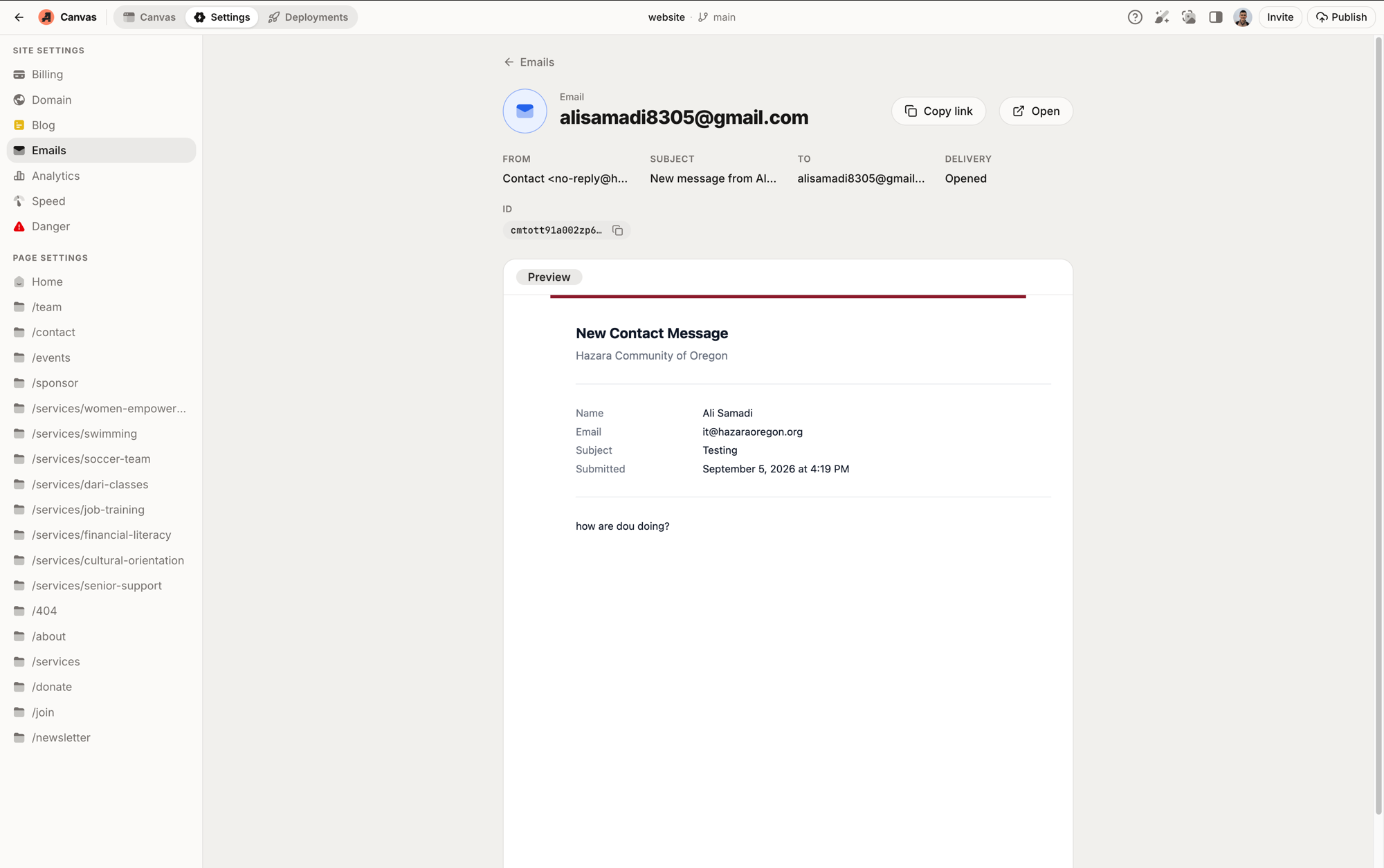
Click any email to see its full detail: sender, recipient, delivery status, and a preview of exactly what was sent.
Blog (deprecated)
Write posts in a clean editor and publish with one click. Posts go straight
to your live site with the same design as the rest of your pages.
This feature is being deprecated and will be removed from the Hub.
Speed test
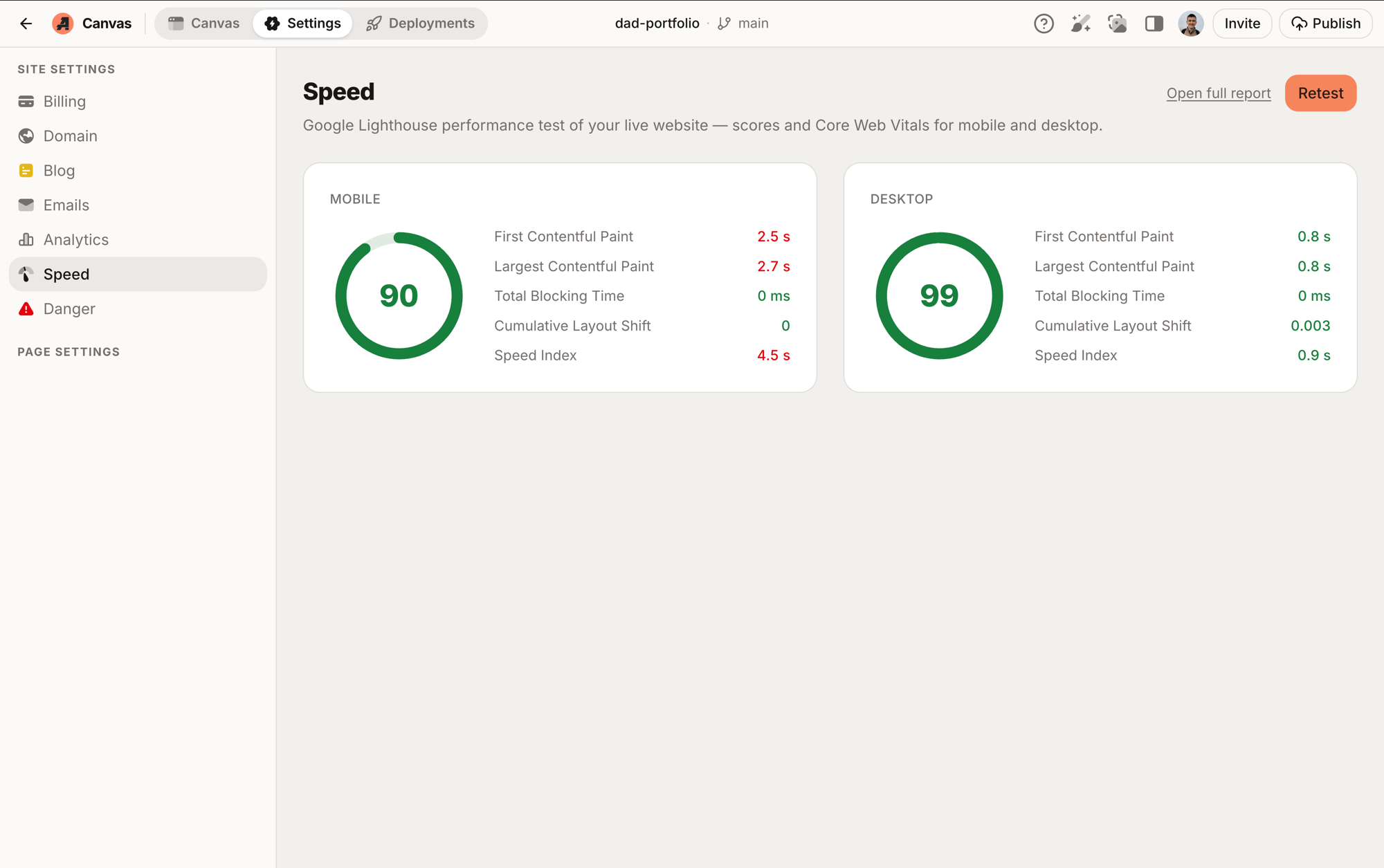
Run a Google Lighthouse speed test on your live site any time and see the scores for yourself: performance, accessibility, best practices, and SEO. We build every site to score high; this tab is how you hold us to it.
Domains
The web addresses connected to your site. See which domain is primary and what’s pointed where. Useful when you add a second domain or move things around.
Billing
Your plan, payment method, and invoice history. No surprises: what you pay and what it covers, in one place.